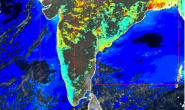
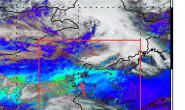
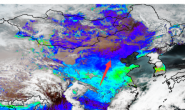
NetCDF(NC)格式是气象领域比较常见的科学数据格式,该格式的部分数据可以直接使用HDF5库读取,前几天发现NC库的C++接口,用起来很简便,就写了一个读取Himawari-8 NC格式数据的示例,话不多数,直接放代码了:
//作者:宿鑫
//网址:www.ixxin.cn
//时间:2019.4
#include <iostream>
#include "ReadData.h"
using namespace std;
using namespace netCDF;
using namespace netCDF::exceptions;
bool inDsNames(string sInDsName, string inDs[], int nDsName);
int Readh8<a href="https://www.ixxin.cn/tag/nc/" title="查看更多关于NC的文章" target="_blank">NC</a>(const char* pSrcFile,const char* pDstFile)
{
	try
	{
		cout << "Start" << endl;
		NcFile dataFile(pSrcFile, NcFile::read);
		string inDsNm[20] = {"SAA","SAZ","SOA","SOZ", //4
			"albedo_01","albedo_02","albedo_03","albedo_04","albedo_05","albedo_06", //6
			"tbb_07","tbb_08","tbb_09","tbb_10","tbb_11","tbb_12","tbb_13","tbb_14","tbb_15","tbb_16"}; //10
		//获取行列号
		NcVar Varf = dataFile.getVar("SAA");
		NcDim Dimf = Varf.getDim(1);
		int XSizef = Dimf.getSize();
		Dimf = Varf.getDim(0);
		int YSizef = Dimf.getSize();
		int nBand = 20;
		short * pSrcData = new short[XSizef*YSizef]();
		float * pDstData = new float[XSizef*YSizef]();
		GDALAllRegister();
		CPLSetConfigOption("GDAL_FILENAME_IS_UTF8", "NO");
		GDALDriver* pDstDrive = (GDALDriver*)GDALGetDriverByName("GTiff");
		char** papszOptions = nullptr;
		//papszOptions = CSLSetNameValue(papszOptions, "COMPRESS", "LZW");
		//papszOptions = CSLSetNameValue(papszOptions, "TILED", "YES");
		GDALDataset* pDstDs = pDstDrive->Create(pDstFile, XSizef, YSizef, nBand, GDT_Int16, papszOptions);
		multimap<std::string, NcVar> TestD;
		TestD = dataFile.getVars();
		int VarSize = TestD.size();
		multimap<string, NcVar>::iterator i, iend; //迭代器
		iend = TestD.end();
		int b = 1;
		for (i = TestD.begin(); i != iend; i++)
		{
			cout << (*i).first << endl;
			if (inDsNames((*i).first, inDsNm, nBand))
			//if ((*i).first == "SAA")
			{
				cout << "Processing:'" << (*i).first << endl;
				NcVar VarT = (*i).second;
				NcVarAtt AttT = VarT.getAtt("scale_factor");
				NcType TypeT =  AttT.getType();
				int TypeId = TypeT.getId();  //float,长度是1
				float fScale = 0.0f;
				AttT.getValues(&fScale);
				AttT = VarT.getAtt("add_offset");
				float fOffset = 0.0f;
				AttT.getValues(&fOffset);
				NcDim DimT = VarT.getDim(1);
				int XSize = DimT.getSize();
				DimT = VarT.getDim(0);
				int YSize = DimT.getSize();
				//cout << 1 << endl;
				//cout << fScale << endl;
				if (XSize == XSizef && YSize == YSizef)
				{
					VarT.getVar(pSrcData);
					GDALRasterBand* pBand = pDstDs->GetRasterBand(b);
					b++;
					for (int t = 0; t < XSize*YSize; t++)
					{
						pDstData[t] = pSrcData[t] * fScale + fOffset;
					}
					CPLErr Err = pBand->RasterIO(GF_Write, 0, 0, XSizef, YSizef, pSrcData, XSizef, YSizef, GDT_Int16, 0, 0, 0);
					if(Err != 0)
					{
						cout << "写入错误" << (*i).first << endl;
						return Err_W;
					}
					cout << "Process End" << endl;
				}
			}
		}
		//构建投影
		OGRSpatialReference oSRS;
		char *pszSRS_WKT = NULL;
		oSRS.SetWellKnownGeogCS("WGS84");
		oSRS.exportToWkt(&pszSRS_WKT);
		pDstDs->SetProjection(pszSRS_WKT);
		CPLFree(pszSRS_WKT);
		double dDsGeoTran[6] = {80,0.02,0,60,0,-0.02};
		pDstDs->SetGeoTransform(dDsGeoTran);
		delete[] pSrcData;
		delete[] pDstData;
		dataFile.close();
		GDALClose(GDALDatasetH(pDstDs));
		cout << "End" << endl;
		return 0;
	}
	catch (NcException& e)
	{
		e.what();
		return e.errorCode();
	}
	return Err_OK;
}

bool inDsNames(string sInDsName,string inDs[],int nDsName)
{
	bool in = FALSE;
	for (int i = 0; i < nDsName; i++)
	{
		if (sInDsName == inDs[i])
		{
			in = TRUE;
			break;
		}
	}
	return in;
}
令我比较困惑的是,https://www.unidata.ucar.edu/software/netcdf/netcdf-4/newdocs/netcdf-cxx.html 这里给出的API中,在实际使用中竟然没有,所以这应该是网上比较全的一个NetCDF C++接口的读取数据的例子。
另外,配置NetCDF C++库,可以参考以下博客:
https://blog.csdn.net/chenhemin604/article/details/25197693
https://www.cnblogs.com/wang985850293/p/6576533.html
https://blog.csdn.net/toby54king/article/details/78711563